
How to Integrate MSG91 SMS APIs in Busy Accounting Software
We understand that it must be a tedious task when you have to integrate SMS APIs all by yourself. We don’t want you to be worried about integrating APIs anymore. This post here is the step-by-step guide of how you can integrate our SMS APIs with ‘Busy’ software. All you have to do is follow these steps:
Create an account with MSG91 and login
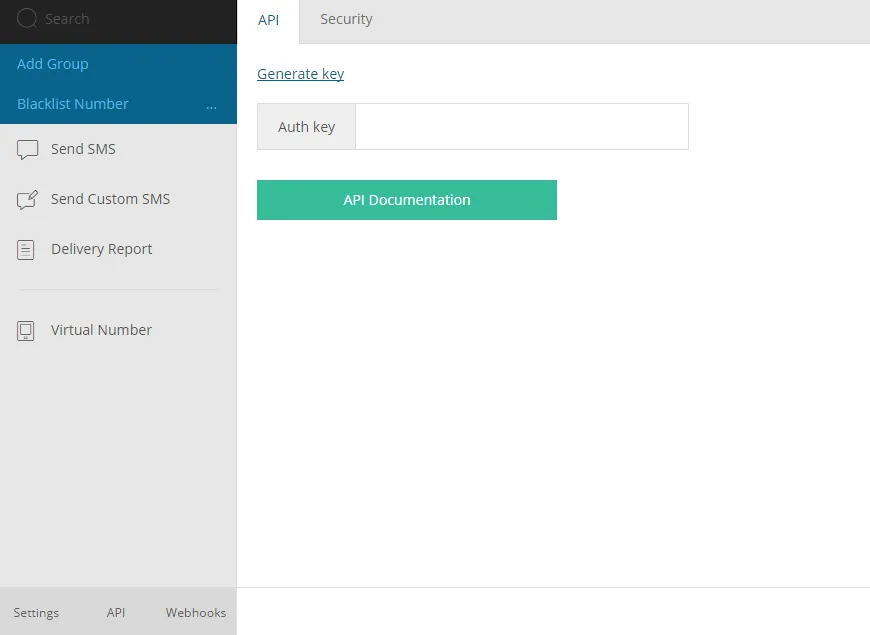
Click on ‘API’ in the bottom-left corner of the panel and ‘Generate’ the authkey then copy this authkey
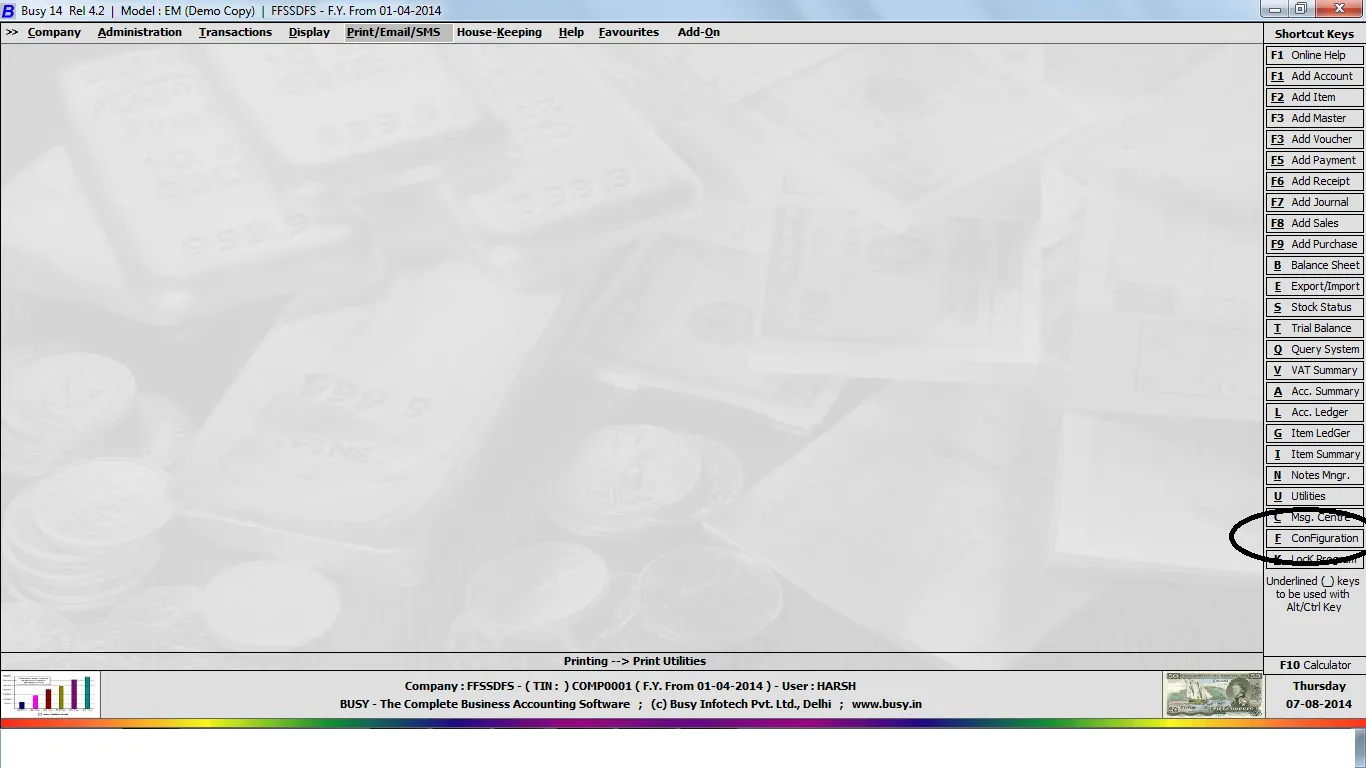
Open ‘Busy’
Now, click on configure or press ‘F’
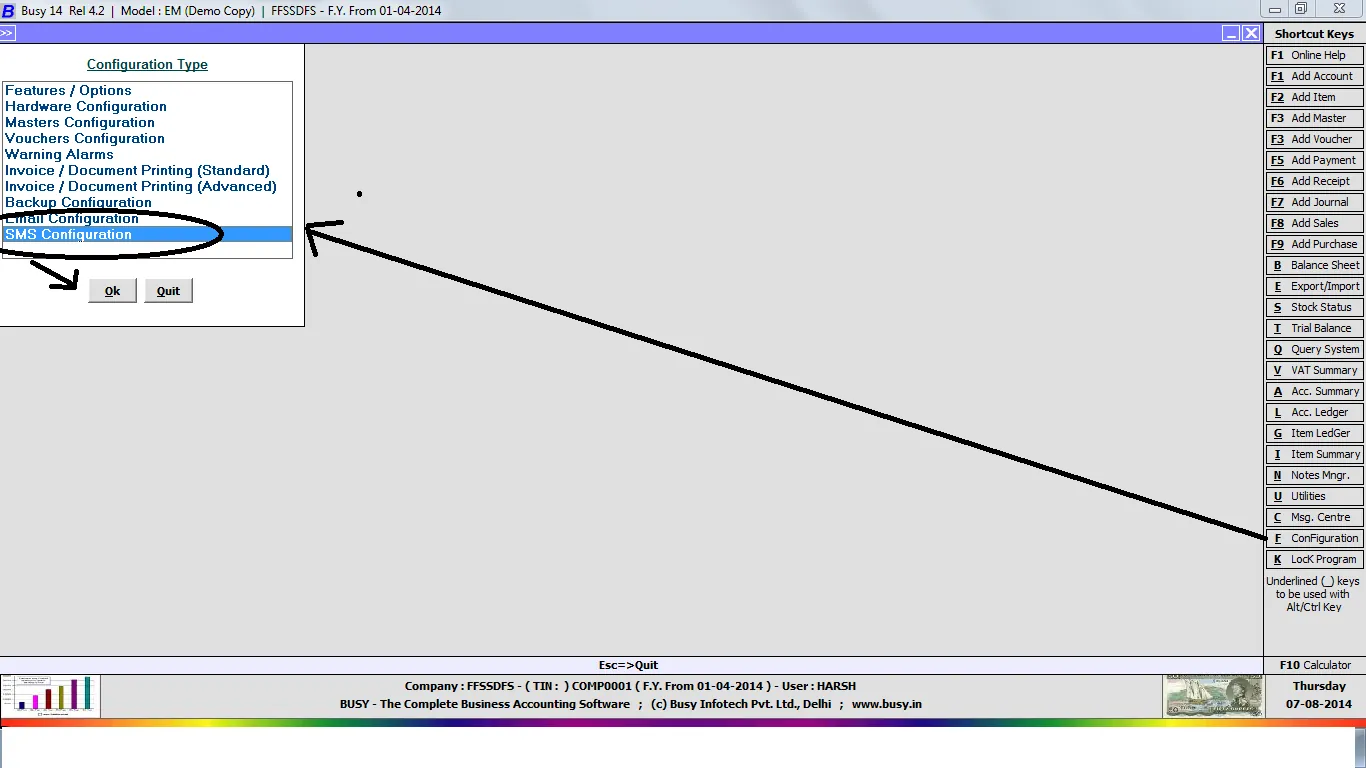
A new window ‘Configuration Type’ will open up
Select the ‘SMS Configuration’ option and click OK
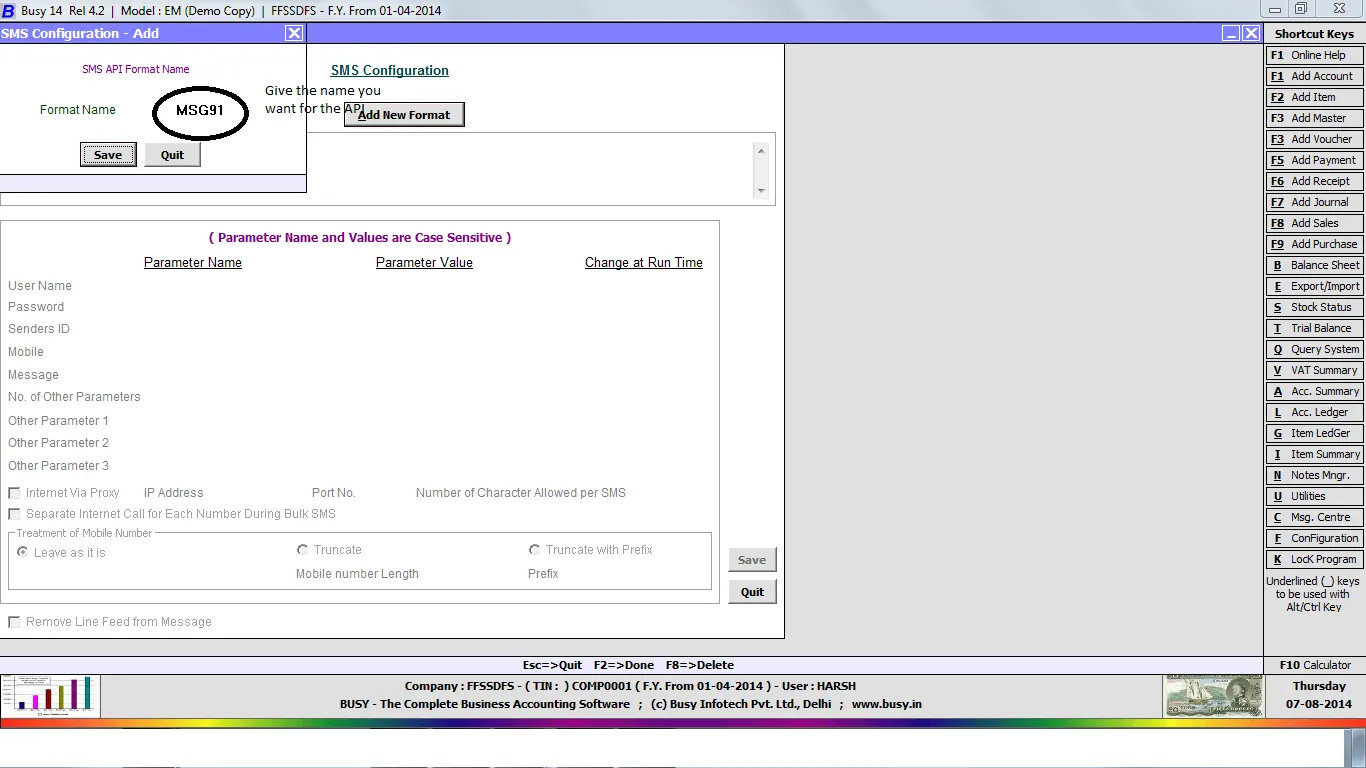
A window for configuration of SMS will open
Click on ‘Add New Format’. Give the desired name and click ‘Save’
Now paste the sample API that you have copied from msg91.com
Example: https://www.control.msg91.com/api/sendhttp.php?
authkey=YourAuthKey&mobiles=Mobile&message=messages&sender=senderid&route=4
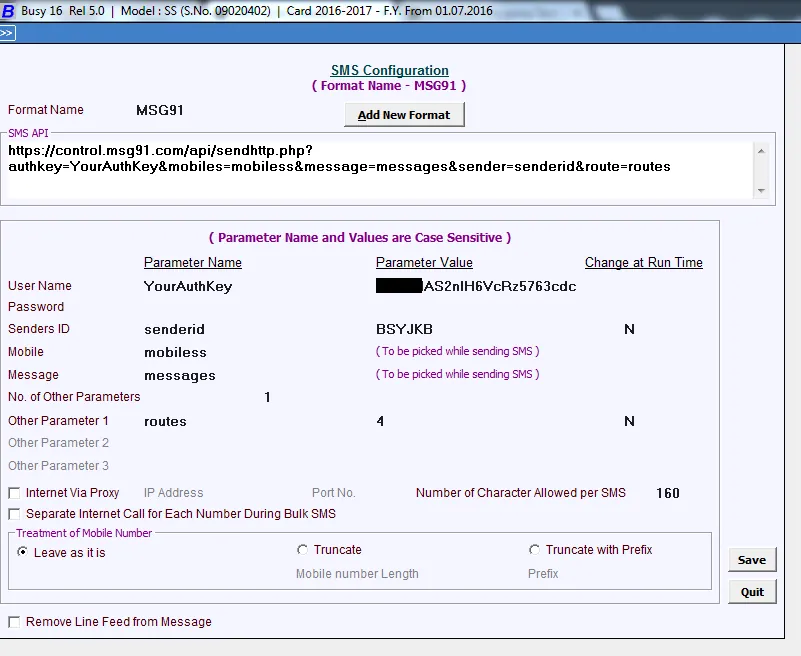
]
Now click on ‘Save‘ and our API is integrated with this software. You are now all set to send SMS through our platform.
We hope that you will now be able to integrate our SMS APIs in your software easily. But if you still need help with the integration of our SMS APIs, feel free to contact us. We will be more than assist to help you.