
How to upgrade Email Subscription Plan in MSG91
Upgrading your Email Plan in MSG91 email services is quick and easy. Here’s a step-by-step guide :
1. Log in to Your MSG91 Dashboard and Navigate to the Email Section -

2. Click on “Upgrade” and then “Change Plan”-

3. Again click on “Upgrade“ corresponding to your desired plan:

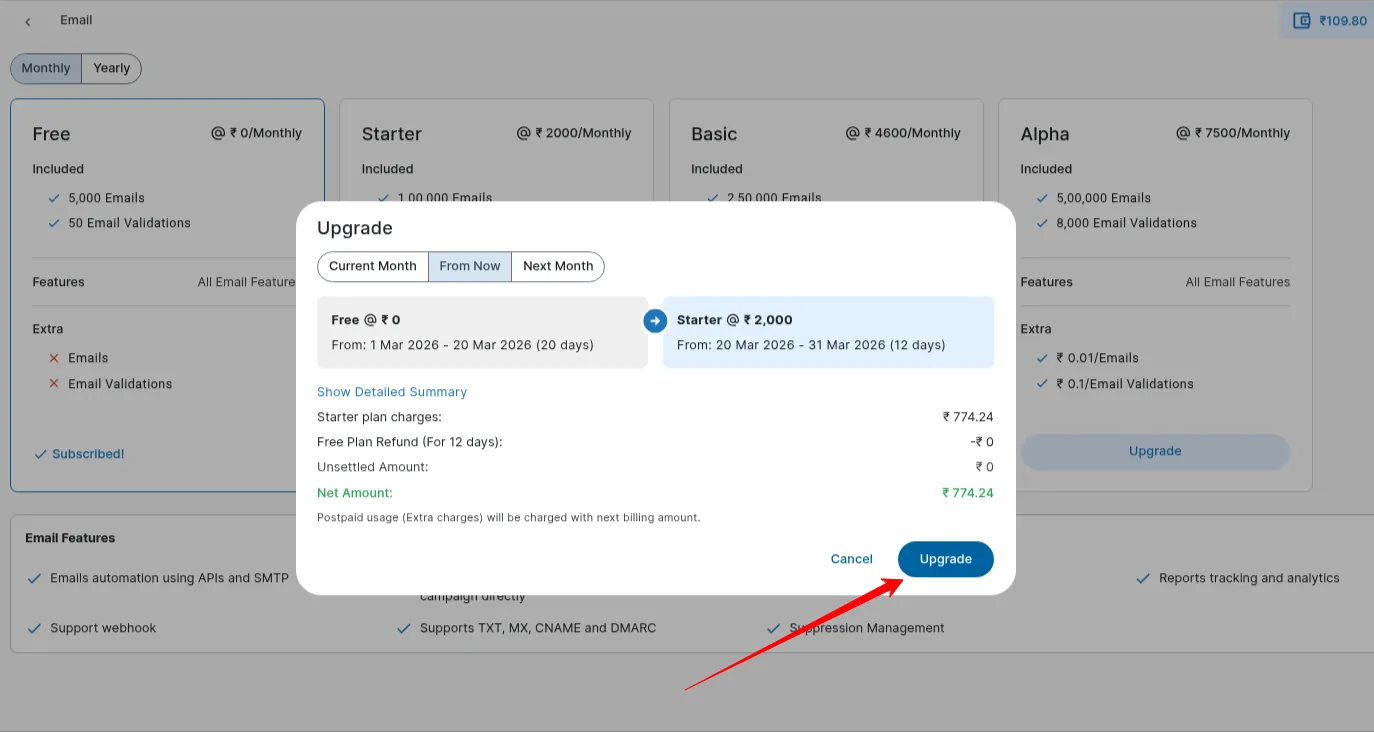
4. To proceed, again click on “Upgrade“: Once you upgrade to the plan, you will be subscribed successfully and the charges will be deducted from your MSG91 wallet.
4. Review Subscription Details: Click on “Show details” to confirm the details of your subscription plan. If you wish to change your subscription, click on “Change Plan”.

If you encounter any issues during the subscription process, you can reach out to our support team at [email protected].
Was this helpful?