
Unclicked event in Campaign
Basically unclick event is used when you want to track whether the link send to the user was clicked by user or not and if the sent link is not clicked by the user in configured timeframe then what needs to be done next.
Follow the below steps to know how setup the same-
1- Open Campaign

2. click on Launch campaign

select the service for which you want to create the campaign primarily.

Add the details and click next

now close this pop up

6. click discard

7. Hover on the pointed area and you will get option of “Go to flow“ click on that.

8. Switch to edit mode to make the changes in flow
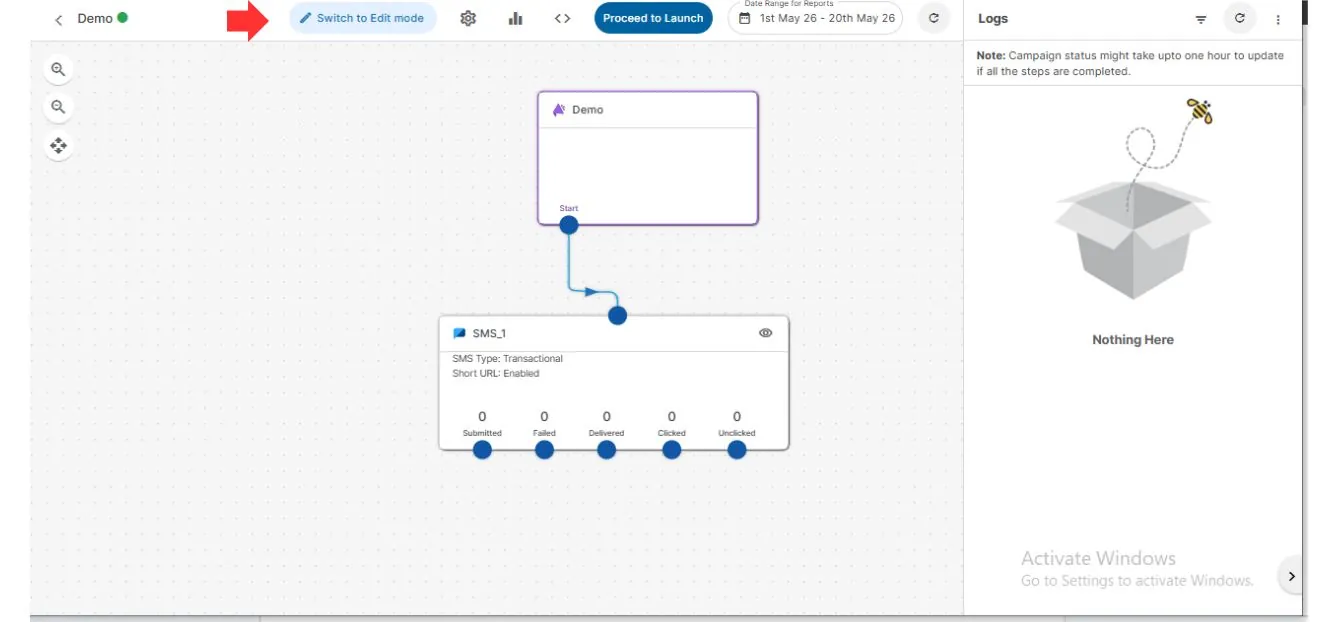
select the node in which you want to make the changes and the window will open in right side of screen where you can select that which node needs to be called after which event.
For Example in image I have called the email node if the link is unclicked by the user/receiver

If you have any further queries or issues please reach us on [email protected] regarding the same we will be happy to assist you.