
How to check the URL Shortener report?
Want to know who clicked your short URLs and when? MSG91 gives you full visibility with detailed click tracking reports. Follow these simple steps to view and export your short URL performance data.
🔍 Step-by-Step Guide
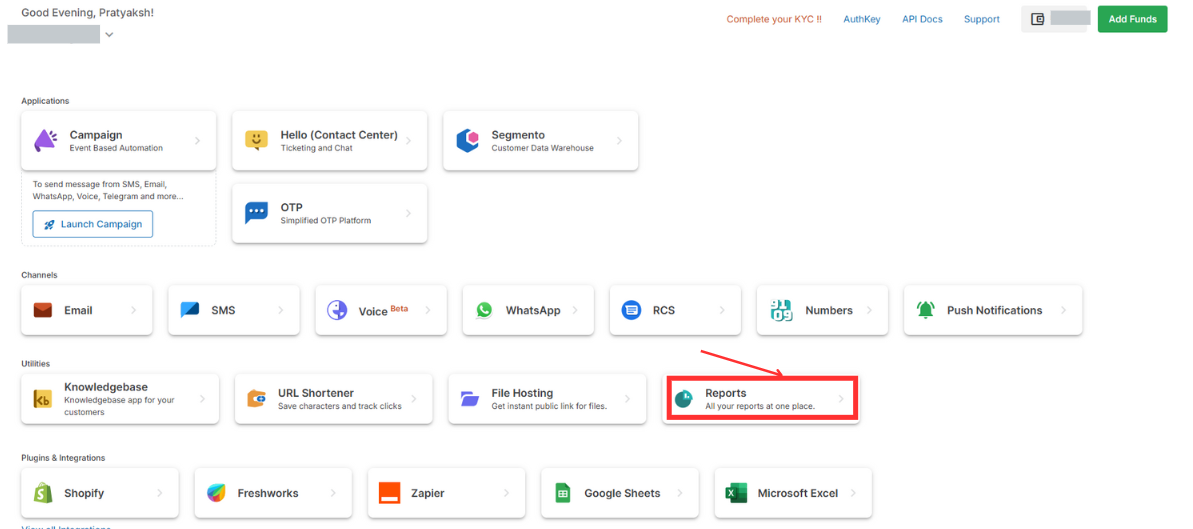
1️⃣ Access the Short URL Report
Login to your MSG91 Dashboard
Navigate to:
Reports → Short URL
2️⃣ View Campaign Click Logs
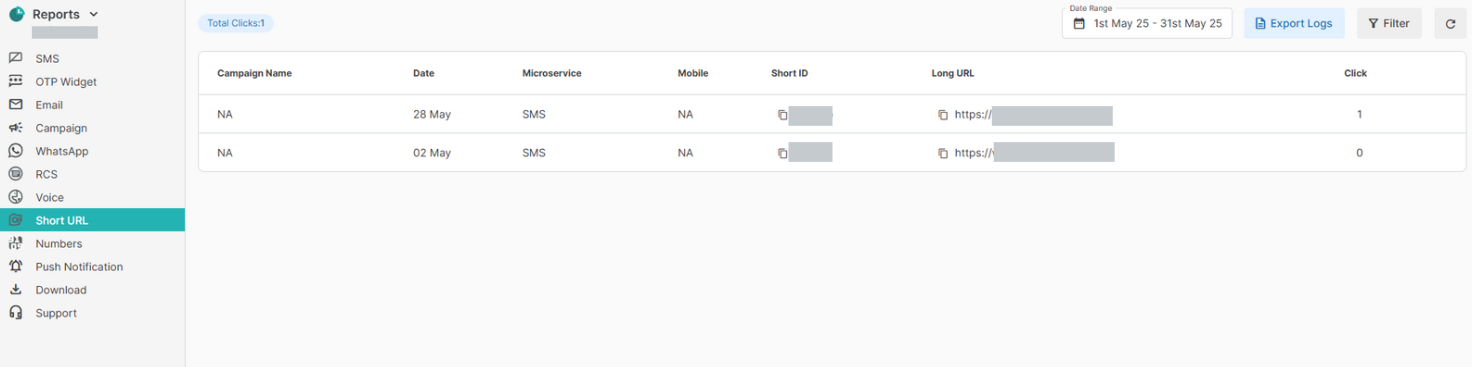
In the Logs section, you'll see:
Campaign name
Date of SMS
Recipient’s mobile number
Short URL ID & original long URL
Number of clicks
👉 Tip: Use the date selector to filter reports by your desired time span.
📥 To download the data, just click the Export button.
3️⃣ Get Detailed Click Insights
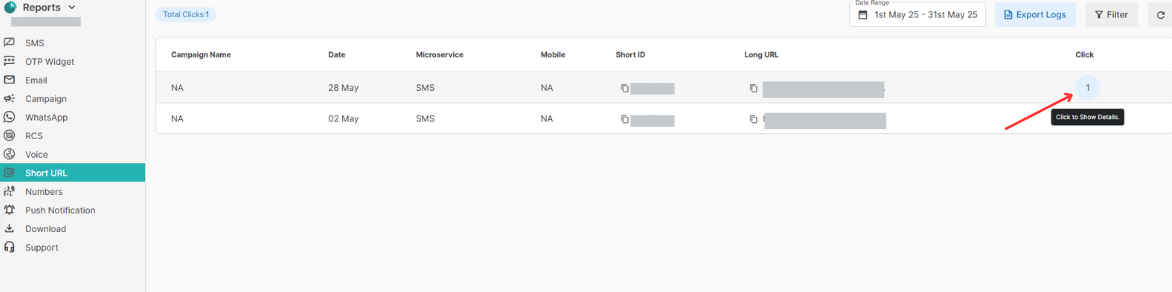
Click on any value under the Clicks column to see:
IP address of the recipient
Date & time of the click
Country, Browser, and Operating System
This helps you track user engagement across devices and geographies.
4️⃣ Use Filters to Refine Your Search
Filter the report by:
Short URL ID
Original URL
Mobile number
Number of clicks
This makes it easy to drill down into specific results or user behavior.

📈 Why It Matters?
Monitor engagement per campaign
Ensure compliance and transparency
Understand your audience's behavior by device & region
That’s it! Your short URL reports are now just a few clicks away.
Need help? Reach out to our Support anytime.
– Team MSG91