
Find your DLT Entity (PE) ID
If you are an Indian company sending messages in India, DLT Registration is mandatory. So, if
you are adding the Sender ID for India in this case, please make sure to enter the correct PE (Entity) ID.
Kindly find your unique 19-digit Entity Id on your registered DLT portal, you receive this Entity Id upon DLT registration.
We have provided the screenshots of the operator listed below.
1. Smart Ping
VILPower (Idea-Vodafone) | BSNL | MTNL
JIO
AIRTEL
TATA DLT
Smart Ping:
If you have registered on DLT via Smart Ping, then kindly login to your account and click on the profile to get your Entity Id.
https://smartping.live/entity/login


VILPower (Idea-Vodafone) | BSNL | MTNL :
If you have registered on DLT via VilPower or BSNL or MTNL, then kindly login to your account and click on the account setting to get your Entity Id.
VilPower: https://www.vilpower.in/signin/
BSNL: https://www.ucc-bsnl.co.in/signin/
MTNL: https://www.ucc-mtnl.in/signin/


JIO:
If you have registered on DLT via JIO, then kindly log in to your account and find your Entity Id in the top left section.
https://trueconnect.jio.com/#/

AIRTEL:
If you have registered on the DLT platform via Airtel, kindly log in to your account using the link below and locate your Entity ID directly on the dashboard itself:
https://www.airtel.in/business/commercial-communication/home

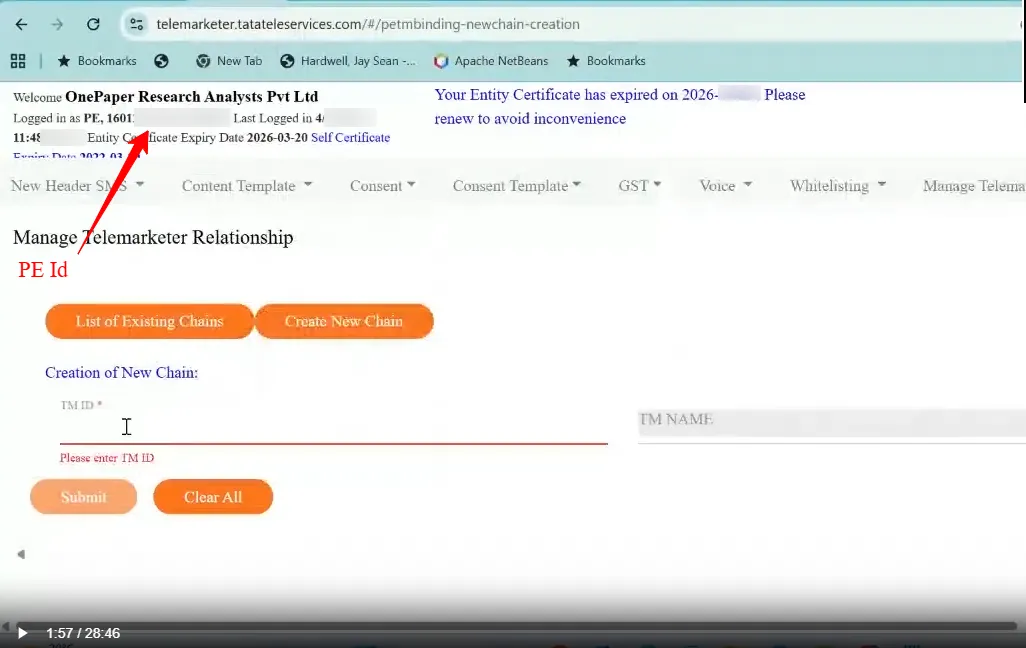
TATA DLT :
If you have registered on DLT via JIO, then kindly log in to your account and find your Entity Id in the top left section.
https://telemarketer.tatateleservices.com/#/header-search
Finding DLT Portal with Entity ID:
If any user is unable to locate their DLT portal but has their Entity ID, they can identify the correct portal based on the prefix of the Entity ID.
Please refer to the prefixes below to determine the respective DLT portal:
SmartPing – 170
PingConnect – 130
Airtel – 100
Jio – 120
BSNL – 140
TATA – 160
Vodafone (Voda) – 110